
A lot of players trying to get unbanned from Fortnite focus on the ban itself and miss the part that usually decides the outcome: what Epic’s reviewer actually sees in the ticket.
Most Fortnite ban appeals don’t fail because the case was impossible. They fail because the ticket doesn’t give Epic’s reviewer the few things they actually need to act. That matters whether you’re dealing with a normal account restriction or a full HWID ban tied to Easy Anti-Cheat.
From our own casework across hundreds of Fortnite appeals, the biggest difference between reversals and rejections usually comes down to one thing: how well the ticket matches what support is actually checking. If it doesn’t answer those signals clearly, even a winnable case can get closed.
What Epic Games is usually trying to confirm
Every Fortnite ban appeal tends to come back to the same few questions.
Was this really the account owner?
This matters more than many players think. A lot of Fortnite bans involve compromised accounts, account sharing, or someone else accessing the system and triggering the violation. Epic needs to know the real owner is back in control.
That usually means:
- 2FA is already enabled
- the password has already been changed
- there is some sign of compromise, such as failed logins, unfamiliar access, or a reset email you didn’t initiate
Was cheating software actually present on the device?
Easy Anti-Cheat doesn’t just react to gameplay. It also reacts to processes and the environment around the game. If something on the PC triggered the detection, support is often looking for signs that the setup wasn’t intentionally built for cheating.
Useful context here can include:
- a clean malware scan
- a DxDiag file
- a note about any development, work, or overlay software active at the time
- anything relevant that explains the environment without sounding evasive
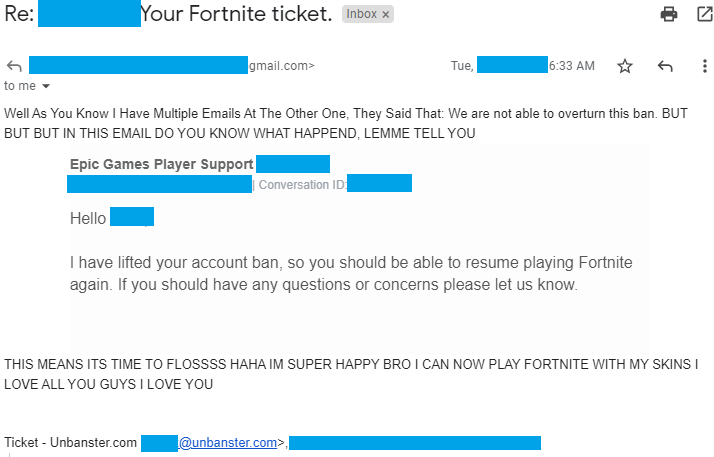
Real outcome from a Fortnite appeal case handled by our team. Personal details removed for privacy.
Case type: Cheat flag
What triggered it: Account was banned after being treated as a cheating case
What we included: Focused appeal, player-side explanation, and review request
Outcome: Account ban lifted and access restored
Is this part of a pattern?
A first-time flag on an otherwise clean account is reviewed differently from an account with prior warnings, temporary punishments, repeated reports, or older enforcement history.
That underlying logic tends to stay the same whether the ban is about:
- cheating
- teaming
- exploits
- V-Bucks or RMT issues
- toxicity
The accusation changes, but the review usually still comes back to the same thing: is the account owner credible, does the signal look accurate, and does this seem isolated or repeated?
What makes a Fortnite ban appeal easier to approve
Support teams process a lot of appeals. The stronger ones usually look simpler, not louder.
Signals that help
A cleaner Fortnite unban ticket usually includes:
- the ban type
- the approximate date
- a one-line summary of what happened
- the evidence attached upfront, not promised later
Then the rest depends on the case.
If it’s an account issue:
- 2FA should already be enabled
- the password should already be changed
- ownership or compromise proof should already be ready
If it’s a cheating accusation:
- the system scan should already be done
- the DxDiag should already exist
- any relevant software context should already be explained
If it’s a teaming or win-trade case:
- the replay, match clip, or VOD matters more than a long explanation
The best tickets usually answer the reviewer’s likely questions before they have to ask them.
Signals that hurt
Some things make a ticket weaker almost immediately:
- long emotional paragraphs with no usable detail
- threats, legal talk, or demands to escalate
- multiple tickets at the same time
- blaming another player without proof
- casually mentioning spoofers or VPNs
- drifting into side stories that don’t support the main point
Toxicity bans are also worth separating out. In our own experience, if the logs contain hate speech or something especially serious, reversals are extremely rare. If the Fortnite ban appeal is tied to that kind of case, the ticket has to be realistic from the start.
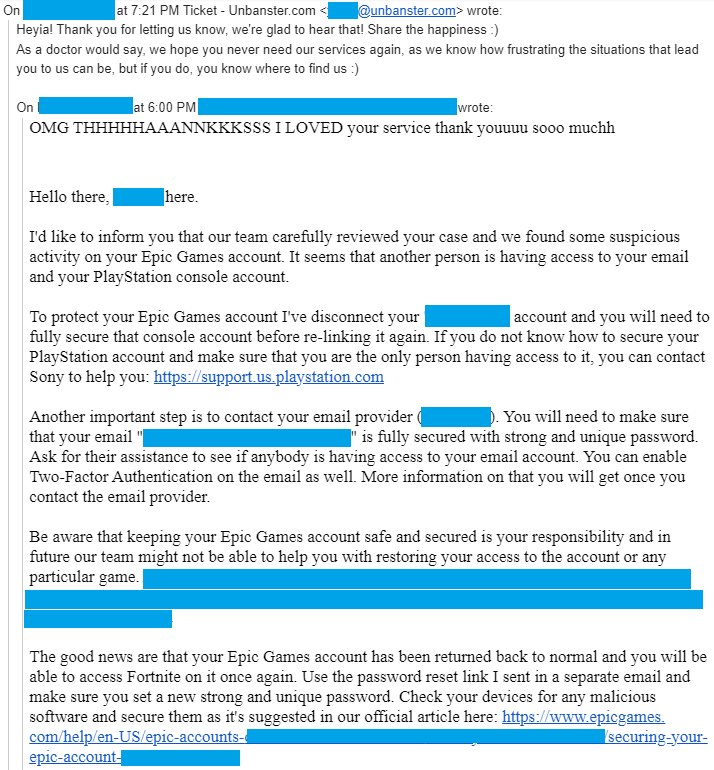
Case type: Compromised-account case
What triggered it: Unauthorized access to linked account details
What we included: Account-security appeal and recovery request
Outcome: Account returned to normal access
What proof helps in different Fortnite ban cases
What counts as useful evidence changes depending on what the ban is actually about.
Account compromised or stolen
This is one of the cleaner categories when the timeline makes sense.
Useful proof includes:
- 2FA already enabled
- a changed password
- failed login alerts
- password reset emails you didn’t request
- access notifications from unfamiliar places
The point is to show that the activity happened while someone else had control.
Cheating, EAC detection, ESP, aimbot, or suspicious software
This is where generic denials don’t help much.
Better evidence includes:
- a full malware scan, exported or screenshotted
- DxDiag.txt
- a short explanation of what software was running
- clarification if any work or development tools were active
- any clean system context that explains the environment
If something unusual was on the machine, it is better to explain it clearly than to leave support guessing.
Teaming or win-trading
These cases usually depend much more on footage than wording.
Most useful:
- replay files
- VODs
- clips from the flagged match
- a short explanation of what happened in that game
If the system or reviewer misread a situation, the footage is often the strongest thing you can attach.
RMT, V-Bucks, or suspicious transactions
This type of case needs transaction context, not just denial.
Useful material includes:
- purchase receipts
- transaction history
- account records showing where items or currency came from
- a short explanation if something came from an unknown source
Exploits
These cases sit somewhere in the middle. They are not always reviewed as harshly as direct cheating, especially if the behavior was tied to something widely known in the game rather than a deliberate cheat setup.
What helps most:
- a clear account of what happened
- an honest explanation of the in-game action
- enough detail to show the behavior wasn’t deliberate abuse
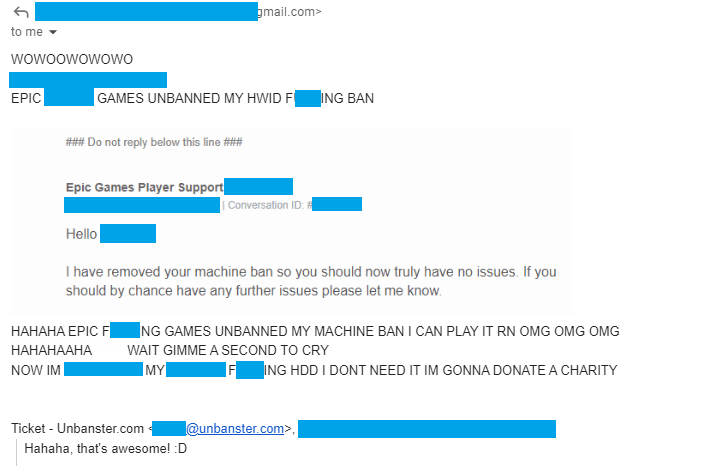
Case type: HWID ban appeal
What triggered it: Device ban applied under a cheating-related restriction
What we included: Targeted appeal, case explanation, and review request
Outcome: HWID ban removed completely
How to Get Unbanned from Fortnite
Process updated on March 13, 2026
- Go on the Fortnite Support Center here;
Log into your Epic Games account from the top-right “Sign in” button, then refresh the page.
- Under “Self-Service”, click on “Show tools”;
From this list, choose “Your Support Requests”.

- Choose the platform on which you play Fortnite;
If you play on a computer, via Epic Games, choose “PC”. Select “Fortnite” as the product, and “Ban Appeal” for the contact reason.
- Write your Fortnite ban appeal in the “Describe your problem here” field;
This is where you write your actual Fortnite ban appeal, detail your case and describe the circumstances leading to your ban. Include the ban type, date and any context around it.
Or skip the hassle and let us handle it for you! - Press “Continue” and wait for the quick issue search to complete;
You’ll now be able to attach files as evidence (if any). Once that’s done, click on “Submit an email request”.


Once you click the blue “Submit an email request” button, your ban appeal is sent to the Epic Games Player Support! As a side note, we never recommend using the “Start a live chat” function, as very rarely does Epic Games have the time to thoroughly review a case during a live chat session. The best way to ensure a proper review of your case is by submitting a ticket (as in, email request).
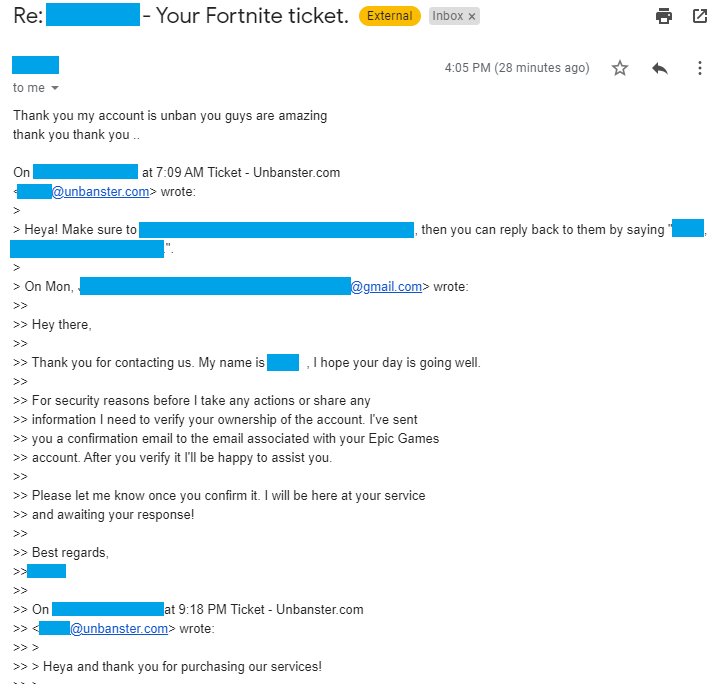
Case type: Cheating-ban appeal
What triggered it: Ban review tied to account ownership verification
What we included: Verification support and appeal follow-up
Outcome: Fortnite account unbanned after verification and review
Fortnite HWID bans: same appeal path, higher stakes
When Epic issues a cheating ban, it often goes beyond the account itself. Easy Anti-Cheat can tie that action to the device, which means the machine becomes part of the restriction too.
That changes the practical impact:
- a new Epic account won’t solve it
- the same device will still be blocked
- the appeal route stays the same, but the consequences are broader
A lot of players ask whether spoofers can get around this. In practice, that is not a real fix. It does not remove the original restriction, and if detected, it can lead to more flags on future hardware or accounts.
The only clean way to remove a Fortnite HWID restriction is through a successful appeal that shows the original detection was wrong. In most cases, that means a clean system scan, a credible timeline, and a clear explanation of what triggered Easy Anti-Cheat.
The bottom line
A Fortnite ban appeal works best when it answers the same few questions Epic is already reviewing.
That usually means a clear timeline, relevant proof, and an explanation that stays focused instead of trying to say everything at once. The cleaner the ticket is, the easier it is for support to act on it.
If the case feels more technical, more serious, or just too important to risk on a weak first try, our team can help put the appeal together properly from the start.
Our research team can draft a tailored appeal based on your case and account history!
Get Expert Help!
Comments 47
I would life to report something that has been going on l have been banned for no reason l have done nothing wrong and its an IP ban so l can’t play on my WiFi or anything and it makes me really upset because I’ve spent lots of money and its all gone to waste, please l really need your help trying to unban my account I have done nothing what so ever, I’m a Xbox player and PC player, l need you help
Author
Heya, and really sorry to hear about your IP ban. However, we can certainly do our very best to get you unbanned, should you wish to purchase our services!
Hi, i had recently got accused of fraud because i had used my mom’s card instead of mine. Epic had deactivated my account right, so i email them and get it re enabled and plan to start purchasing gift cards from now on so that i don’t accidentally do it again. Well days past and I didn’t make any purchases and they deactivated it again for the same transaction??? I had emailed them wanting an answer for what has happened and to see if i could get my account back and would even pay the amount that was charged back but they had said there’s nothing they can do because of their “terms” even tho i was wrongfully accussed. If you have any tips or idea i could try i would greatly appreciate it. Ive spent hunderes of dollars on that Fortnite account and really want it back
-best regards, Kobe
Author
Heya! I’m so sorry to hear that happened to you, but unfortunately, as per our policy, we cannot assist with any cases involved in allegations of fraud or chargebacks. 🙁 I’d recommend you continue to try and explain your situation as best as you can to them though.
I sincerely hope that u get it back. i know ur pain
Do y’all help with Fortnite account deactivations
Author
Heya! We surely do, and we can definitely do our very best in helping you get unbanned from Fortnite as well! 🙂
I got my account deactived for no reason and banned, change my IP and hardware number still banned, ill appreciate if you could help me.
Author
Hey! Sorry to hear that. We can certainly do our very best possible to get you unbanned, should you wish to give our services a try! 🙂
what if its a permanent ban?
Author
Even if it’s a permanent ban.
So how do y’all unban people
Author
You can read our thoroughly explained process right here – https://unbanster.com/#process 😀
do you guys help unjust perma bans?
Author
Heya! We surely do! 🙂
Got banned for no reason
Author
Sorry to hear that. :/
Can I chat to someone privately about a ban?
Author
Hey, sure! 🙂 We have a contact page, as well as a Contact Us / Live Chat on the bottom right part (colored with green) of the website.
I need help. Can someone help me with a ban.
Hey my Fortnite account got banned for account sharing even tho I never shared my account can y’all help with this
Author
Heya! We can certainly do our very best to! 🙂
Hey guys. So my account was disabled due account sharing? Is it temporary? As it says account is inactive now try again later…
I play on ps4 and never ever gave my account to anyone esle as i made purchases on it. And i play literally every day! And can prove it to them as i get many invites from my friends.
Thanks.
Author
Hey and sorry to hear that. Unfortunately, it’s not temporary, but permanent. But yes, you can definitely contact them and explain your situation, and appeal the ban! 🙂
is it normal that i only get an automated reply
Author
Based on how and where exactly you’re sending the ticket, yes, you might be met with an automated reply. You can, however, reply to it, and it will be considered as a reply, instead of sending a new ticket.
I was switching accounts and got banned for account sharing
Author
Wow, sorry to hear about that… :/ That really sucks.
I get ip banned for no reason , i don’t get it whay? , can some 1 help me to get my account back ? i spend money on it , and i will really appreciated .
Author
Heya! Feel free to get in touch with us to discuss your case.
Hi I got banned on Fortnite for no reason its a HWID ban it wont even let me log into my account
Author
Sorry to hear that. Feel free to contact us to discuss your case further if you’d like to though! 🙂
got banned for using roblox hacks
Author
Sorry to hear that. Did you appeal the ban yet though?
i was playing fortnite playground mode with my little brother when i got booted from the game, i was greeted with a message stating that either my session has expired or i have been logged in elsewhere i tried to login using pc instead of ps4 to see what happened and i noticed that my account has been rendered inactive by epic, i contacted them only to be told that i was observed cheating , which is simply not true, i have contacted them several times and finally got a human response, they conducted an investigation into my account and got back to me saying that they wont overturn my ban, its not fair that they ban people for no reason and refuse to unban them
Author
Wow, that really sucks… :/ Sorry to hear that happened to you.
Hi I have been banned falsely as well I just woke up one morning and I wish to be unbanned but epic games support team will not respond to any of me emails please help me,
Author
Hey, sorry to hear that! We can surely do our very best to help you though! Feel free to drop us a mail through our contact form. 🙂
Help I got banned from fortnite and I need help
Author
Heya! Please feel free to get in touch with us through the Contact page, or the green contact form at the bottom-right.
Hey! Got banned on my laptop … Pretty sure it was an HWID BAN. Then I tried playing it in my iPhone and it worked even in the same WiFi. Now I’ve bought a new machine, should I install and try fortnite on it? Note- I’ve changed my router but not my WiFi…
Author
Heya! Definitely you should. The WiFi and router shouldn’t have any impact on the ban, as only the account itself or the device’s (your previous machine) particular HWID can be banned.
Got banned outta nowhere while I was in the middle of joining a game of party Royale :/. It said I was using a VPN to gain an advantage even tho I don’t even own one. Would you guys try your best if I buy your basic package?
Author
Sure thing, absolutely!
Hey I also got falsely banned but it is only on my computer because I can play on my xbox and on my friends pc. I’ve tried contacting them but it always comes down to the answer that they cannot do anything with bans and when I asked them for what I did they said they cannot give out that information. I haven’t used any third party apps or anything so im kinda pissed as I have spent a lot of money on my pc. You think you would be able to help get it unbanned?
Author
Really sorry to hear this happened to you but yes, we can definitely do our very best to help you! Feel free to get in touch with us whenever! 🙂
Beast