
In this post, we’ll go over what you can do in order to get unbanned from Pokemon Unite, in the unfortunate event where this happened to you.
Pokemon Unite is one of the newest MOBA games to go live, which is currently playable only on Nintendo Switch, as well as planned to be released on mobile devices. Moreover, although it was not confirmed yet, there are rumors about it being also released on PCs, which is something awesome for MOBA fans to look forward to, as well as quite the competitor for League of Legends.
That said, as with any competitive, online and PvP game, there are quite a few things that can go wrong mid-fight, as well as quite a few things which can lead to getting banned from Pokemon Unite, which we’ll detail below.
What Can Get You Banned from Pokemon Unite?
Even though the reasons for which a player can end up with a banned Pokemon Unite account are similar to most other online PvP games, you can review the entire Terms of Use agreement here.
However, here are the most common reasons for which an account can receive a ban in Pokemon Unite:
- toxicity or any type of harassment towards other players;
- account sharing, for any reason;
- buying or selling in-game items or services for real-world currency, apart from the in-game official store;
- win-trading or not participating in the team’s efforts to win;
- cheating, through any type of third party software, bugs, exploits or glitches.
Although these are just the most common reasons for which players can get banned from Pokemon Unite, it’s best to avoid doing anything that could warrant a report, especially in terms of behavior or language.
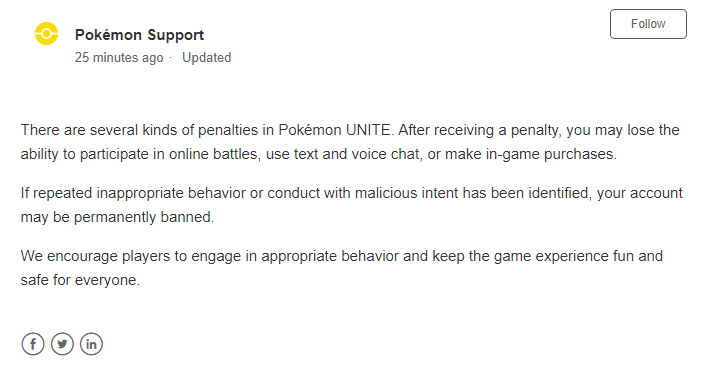
You should also take into account that based on the type of offense, an account can be permanently banned, temporarily suspended or prevented from using the text/voice chat or in-game store.
That said, in the unfortunate event where you somehow still end up in this situation, here’s what you can do in order to try and get unbanned from Pokemon Unite!
How to Submit a Pokemon Unite Unban Appeal
Similarly to the Pokemon Go unban appeal, in order to start your Pokemon Unite account unban process, you must first get on their official website here, then on the right side, click on “Contact Us” under “Need help with a question?“.
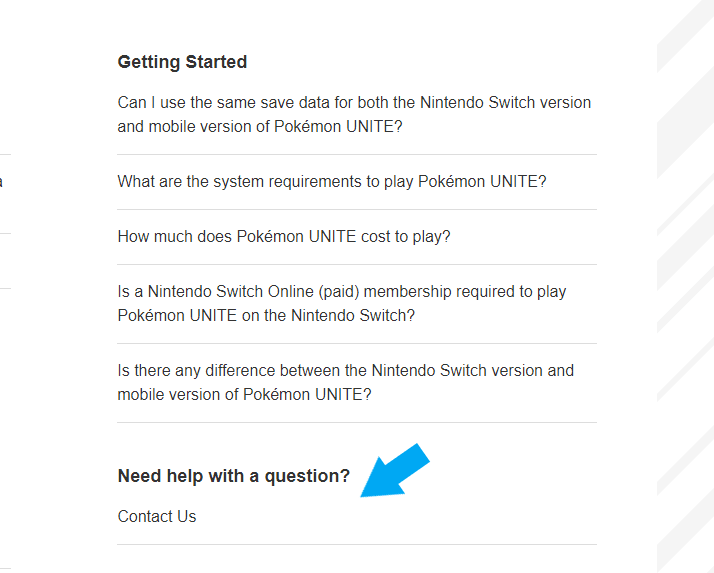
This will take you to the actual form where you can submit your Pokemon Unite unban appeal, which you need to complete as such:
- input your email address (ideally the same one behind your Pokemon Unite account);
- fill in your real name;
- write a concise yet relevant subject, such as “Pokemon Unite ban appeal“;
- under “What can we help with?”, choose “Report issue“;
- select the appropriate network environment, or pick “Do not know” if you’re unsure;
- choose “Penalties and Bans” under “Please select your issue”;
- pick the type of ban you received, such as “Account ban” for a temporary or permanent ban;
- for the “Are you able to play the game?”, answer with “Cannot play“;
- input the date and time when your account was banned from Pokemon Unite (or at least a rough estimate, if you can’t find any ban confirmation emails);
- as for the “Description” field, this is where the appeal should be written, and this is also where we can come in handy, should you require our professional and customized Pokemon Unite unban service designed to get you unbanned from Pokemon Unite.
Once everything is filled in, click on the “Submit” button underneath the form, and your Pokemon Unite unban appeal request will be sent to their Support in order to review it. Make sure to keep an eye on your email address, particularly the one you’ve put in the very first field, as that’s where they’ll get back to you with an answer.
That’s it! Hopefully our guide was helpful regarding your banned Pokemon Unite account, and if you ever require our help, we’re here for you!
Need help with a banned Pokemon Unite account?
We're here to give you the best help in order to get you unbanned!
Get unbanned!