
Dead by Daylight bans runs two completely separate appeal systems – and they don’t talk to each other. Behaviour Interactive handles toxicity, exploits, account sharing, and payment issues. Easy Anti-Cheat handles cheat detections and HWID bans. Send a Bhvr case to EAC or an EAC case to Bhvr, and the appeal disappears into the wrong queue while the account stays locked.
That’s the part most players skip. Getting unbanned from DBD isn’t just about writing a good appeal – it’s about knowing which system issued the ban before writing anything at all.
Bhvr or EAC – How to Tell Which System Flagged the Account
The ban notice is the clearest signal. An EAC ban typically references Easy Anti-Cheat directly – either in the error message at launch or in the notification. A Bhvr-issued ban comes through Behaviour Interactive’s support system, usually with a reference to a specific ToS violation.
If the account is locked without a clear message, the nature of the last flagged activity is the next indicator. Cheat software, memory injection tools, modded game files, custom skin changers, and HWID flags all go through EAC. Toxic chat, intentional griefing, Bloodpoint exploits, account sharing, and payment issues all sit with Bhvr.
The reason the distinction matters beyond just routing: EAC HWID bans are permanent by default and tied to motherboard and primary drive serials. A new Steam or Epic account on the same hardware gets flagged on first login. VPNs don’t bypass it. The only path to remove a DBD HWID ban is a successful EAC appeal – and that appeal goes to EAC’s own portal, not Bhvr’s support site.
Skip the Hassle - Get Expert Help Unbanning Your Account!
Get Unbanned!The Bhvr Route – What They Need to See in a DBD Ban Appeal
Bhvr handles the conduct and economy side of DBD bans. The cases that move fastest here are first-time exploits and toxicity flags where context genuinely changes the picture.
- Toxic chat or harassment: Match ID and timestamp for the flagged session, full chat transcript with surrounding context, and prior clean record if it exists. Bhvr’s support team can see account history – a long record without prior penalties adds weight to borderline cases. Intentional griefing, tunneling complaints, and camping reports are common in DBD bans specifically because of the asymmetric format, and reviewers see a high volume of them. The appeal needs to be specific about what happened and why it doesn’t constitute a ToS violation, not just a general denial.
- Bloodpoint exploitation or currency duplication: This is specific to DBD and worth understanding before appealing. Bhvr’s servers flag Bloodpoint duplication within hours – the detection is server-side and fast. If the exploit was accidental – a known glitch that triggered without intent – the appeal needs to acknowledge that the duped points exist and request their removal. An appeal that denies the Bloodpoint discrepancy when Bhvr’s logs already show it creates an obvious credibility problem. Asking for the gains to be wiped in exchange for account access is a stronger position than denial.
- Legacy cosmetic unlockers: Another DBD-specific flag. Legacy cosmetics were retired years ago and can’t be obtained through normal play. Third-party tools that unlock them trigger the same detection as other modding tools – and because the cosmetics themselves are visible server-side, the flag is hard to dispute without addressing the cosmetic directly. If this was the cause, the appeal needs to acknowledge it and request removal of the unlocked items.
- Account sharing or boosting: IP login history and a clear explanation of any location discrepancies. If travel or a shared home network explains the pattern, document it. DBD’s ranking system makes boosting flags more common than in some games – the skill gap between high and low MMR is significant enough that unusual rank progression triggers automatic review.
- Compromised account: Steam or Epic account recovery email, IP mismatch showing the unauthorized access, malware scan, and 2FA now enabled. Bhvr can see purchase history – original ownership receipts help establish the account belongs to the appellant rather than whoever accessed it.
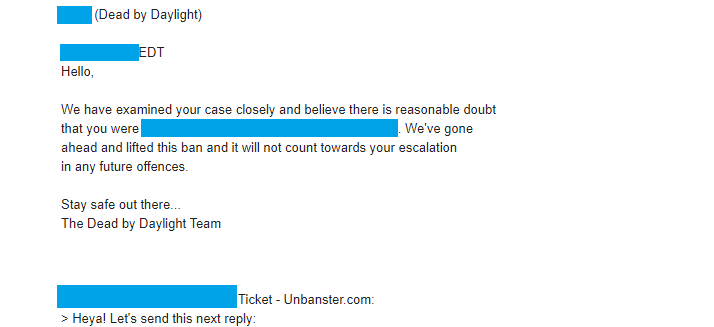
Real outcome from a DBD ban appeal case handled by our team. Personal details removed for privacy.
Case type: Exploit ban appeal
What triggered it: Account was actioned after gameplay was treated as exploit abuse
What we included: Context-based appeal and clarification request around the incident
Outcome: Restriction lifted and account access restored
The EAC Route – What Easy Anti-Cheat Needs to See
EAC false positives in DBD bans have documented patterns. AutoHotkey scripts, ReShade overlays, Logitech G-Hub macros, and Cheat Engine left running from a single-player session have all triggered EAC flags and bans in Dead by Daylight specifically. The anti-cheat reads the process signature, not the intent – a macro tool running alongside DBD looks identical to one designed to manipulate the game from EAC’s side.
The EAC appeal needs to address what was running during the flagged session specifically. A full process list, an explanation of each tool that could have tripped the signature, and an unedited match VOD showing normal gameplay for that session. If Cheat Engine or a similar tool was open in the background from a different game, name it and explain the context – it’s a more credible explanation than pretending nothing was running.
For HWID ban appeals specifically: the case needs to address the hardware flag directly, not just the account. A general “I didn’t cheat” appeal without addressing the hardware detection is unlikely to move the case. Clean system proof – current process state, confirmed removal of any flagged software – paired with a specific explanation of what EAC likely detected is the right structure.
One practical note: keep the game unlaunched while the EAC appeal is under review. Launching DBD generates new EAC scan data that can complicate the original case.
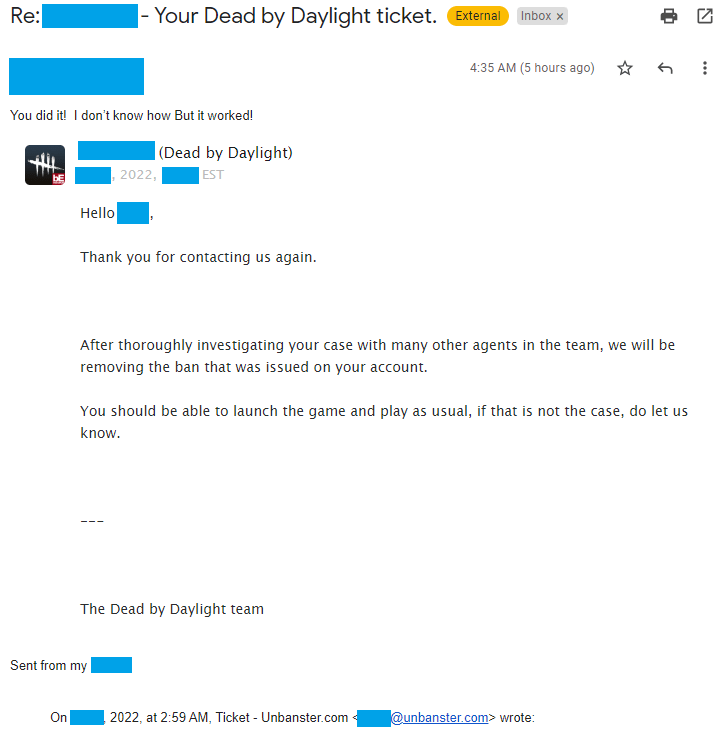
Real outcome from a Dead by Daylight ban appeal case handled by our team.
Case type: Cheating accusation appeal
What triggered it: Account was banned after being flagged as suspected cheating
What we included: Clear session explanation and request for a manual re-check
Outcome: Ban overturned after review
How to Get Unbanned from Dead by Daylight
To unban a Dead by Daylight account, you must submit a ban appeal via Bhvr’s Support website.
- Choose “Dead by Daylight” as the game you’re inquiring about;
For the mobile version of the game, you can choose “DBD Mobile”.
- Input your email address and name;
This will be used as a contact avenue, once they finish reviewing your ban appeal.
- Fill in your Player ID and choose the platform you play on;
For PC players, make sure you select the secondary platform as well, such as Steam, Epic Games or Windows.
- Select your contact reason;
For our issue, you can go with “Ban Appeal”, followed by the date of the incident (this is optional).
- Input a concise and clear subject;
This can be “DBD Ban Appeal” or depending on the nature of your issue, “Wrongfully banned from DBD”.
- Write your ban appeal under the “Description” field;
Include as much relevant information an evidence as possible in your first ticket. State your ban reason and type, explain the context around it and why you think it happened. Or skip the hassle and let us write it for you!
Note that for EAC bans (cheating and HWID), you must submit the appeal via their particular website. Here’s a different guide on how to submit a EAC ban appeal.
Once everything is completed, click on “Submit” underneath the form and your ban appeal will be sent to the Customer Support department for review.
This is it! Now that your Dead by Daylight ban appeal has been sent, all you need to do is wait for their reply, as they’ll get back to you via mail once they have an answer, so make sure to keep an eye on it! Best of luck!
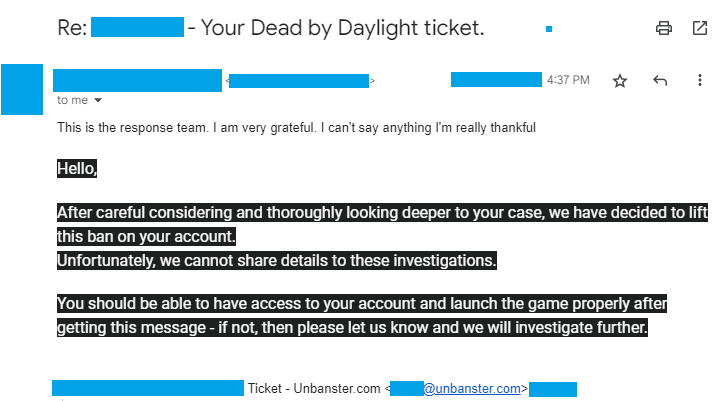
Real outcome from a DBD appeal case handled by our team.
Case type: False cheat flag
What triggered it: Account was treated as a cheating case after a flagged session
What we included: Focused appeal explaining why the flag didn’t match actual play
Outcome: Ban removed and account reinstated
We’re here to give you the best help in order to recover your account!
Get Unbanned!
Comments 5
I get into games with my friends and I lag out.I get banned, and now I’m at 24 hrs of being banned just from lagging out.
I lagged out that is unfair i cant control that, i shouldnt have a 24hr ban.
I had to go help my dad with chores which meant I had to leave and turn my Xbox off, when I came back I had a 2 day ban… it’s annoying because it’s the only game I play
I literally have no idea why I got banned
I had to go and take the trash, my sister got on my game and left it on purpose. This was not the first time shes done this and I got a 24 hour ban, and I play like no other games