

A new Apex season drops, the anti-cheat gets updated, and a wave of legitimate players finds their account suspended. It happens often enough that EA tracks patch-related false positives internally – but that context only helps your appeal if you actually mention it.
That’s the part most people skip. They write a generic “I didn’t cheat” message, attach nothing, and wonder why the ban appeal goes nowhere. Getting unbanned from Apex Legends isn’t about writing the most emotional ticket – it’s about giving the reviewer something concrete to work with.
The One Thing to Check Before You Write Anything
Before building the appeal, confirm whether you’re dealing with an account ban or a hardware ban (HWID).
An account ban locks your Apex Legends profile. A HWID ban goes deeper – Easy Anti-Cheat has flagged the machine itself, so any new account launched from that hardware gets banned on first login. If you’ve already tried a second account and it got nuked immediately, that’s your answer.
Most Apex bans are account-level. HWID bans are reserved for confirmed or repeat cheating cases and are less common. The reason this matters before writing anything: the appeal for a HWID ban needs to address the hardware flag explicitly, not just the account. A generic appeal that ignores it won’t move the case forward.
Either way – spoofers and hardware swaps aren’t a reliable fix. The only way to actually remove a ban from an Apex Legends account (or HWID) is through EA’s appeal process. It’s also the only way to keep skins, rank history, and progress intact.
Skip the Hassle - Get Expert Help Unbanning Your Account!
Get Unbanned!What’s Behind Most Apex Bans
Cheating flags make up the largest share of cases we see – and a meaningful portion of those are false positives tied to season updates. EAC flags automation tools, aimbots, recoil scripts, DLL injectors, and certain overlay software. But it also occasionally catches legitimate players running harmless background software that trips a signature after an anti-cheat update.
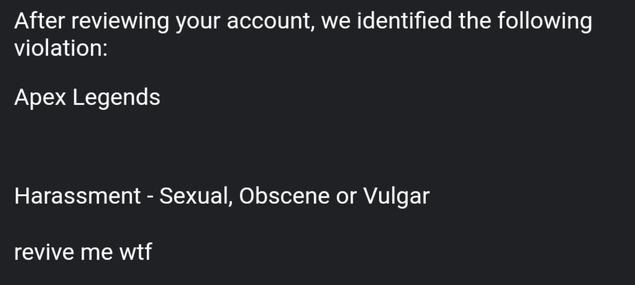
Toxicity is the second most common. Voice and text chat both feed into EA’s report system, and context matters more than most players realize. A player typing “revive me wtf” after dying got falsely reported and banned for harassment – no slurs, no threats, just frustration. EA overturned it once the full chat log was submitted. That surrounding context is what changed the outcome. Cases involving actual slurs or targeted harassment are harder to overturn and rarely move regardless of framing.
Compromised accounts, boosting, and real money trading round out the rest. Each needs different proof, but the same principle applies: the appeal needs to explain the discrepancy between what the system saw and what actually happened.
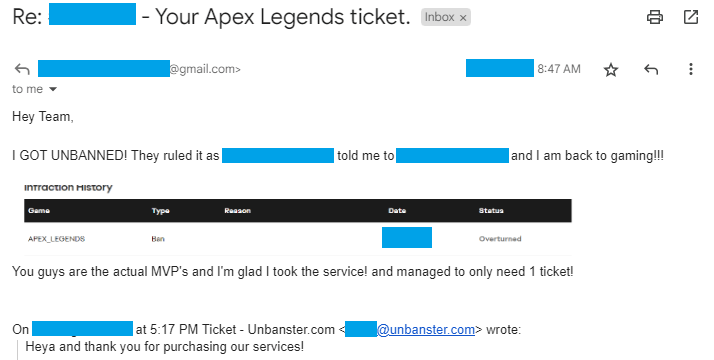
Real outcome from an Apex Legends ban appeal case handled by our team. Personal details removed for privacy.
Case type: Cheating ban appeal
What triggered it: Account was banned after being flagged under an anti-cheat review
What we included: Clear appeal timeline, setup context, and a manual review request
Outcome: Ban overturned and account access restored
What to Actually Put in an Apex Legends Ban Appeal
What goes in the Apex ban appeal depends on the ban type:
EAC or cheat flag – This is where the EAC log file matters most. It lives at C:\Program Files (x86)\EasyAntiCheat\ and gets overwritten every time the game launches. If you haven’t pulled it yet, don’t launch Apex again until you do. Pair it with a clean antivirus scan and an unedited match replay or POV clip for the flagged session. If the ban landed after a season update, say that explicitly – EA tracks those patterns and it’s relevant context for the reviewer.
Compromised account – IP login history showing location jumps, 2FA now enabled, password reset confirmation. Getting the account secured before appealing signals the risk is contained, which is the first thing a reviewer wants to know.
Toxicity suspension – Full chat log with the surrounding messages, not just the flagged lines. Prior account history without penalties adds weight if it exists.
Boosting or account sharing – IP and login pattern explanation with something behind it. Travel proof, a timestamped login history, rank progression showing consistent self-play. Just denying it happened isn’t enough on its own.
RMT – Legitimate purchase receipts and transaction history for Apex Coins. If the purchases were genuine, the paper trail exists.
One ticket at a time. Multiple open appeals for the same case push the original back in the queue rather than speeding anything up.
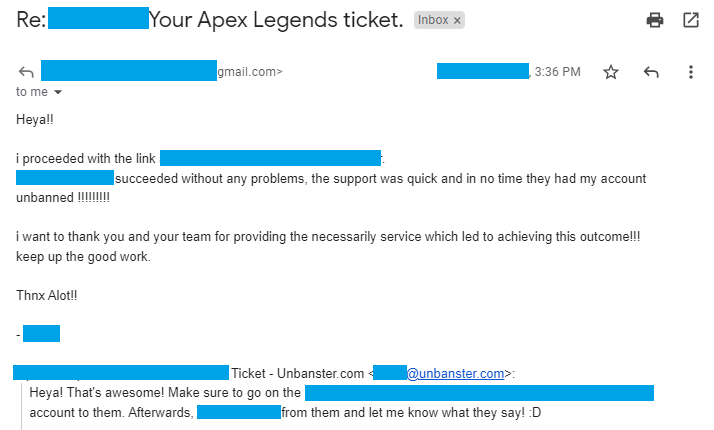
Real outcome from an Apex appeal case handled by our team.
Case type: Compromised account recovery
What triggered it: Suspicious access and account activity that didn’t match the owner’s normal play
What we included: Ownership clarification, security timeline, and recovery-focused appeal
Outcome: Account restored after review and security steps
How to Get Unbanned from Apex Legends
The only way of getting unbanned from Apex Legends (account and HWID), is by submitting a ban appeal.
- Go to the EA Help page here;
Log into your account and select “I want to dispute a ban or suspension” from the help topics below, then click on the red “Message us” button.

- Choose the platform you play Apex on;
If you play on a computer, pick PC or Steam. Click “Next”, write your full name then click on “Next” once more.

- Write your ban appeal subject and description.
State your Apex ban type, attach the evidence you collected, and explain what you’ve done to prevent a repeat offense (such enabled 2FA). Keep it factual and under 1000 characters. Long or emotional essays often get denied.
Or skip the hassle and let us handle it for you!


Once you finish, simply press the “Send” button underneath your Apex ban appeal and your ticket will be sent to EA Support.
You’ll receive their answer via email, the one you’ve put in the above form. Make sure to keep an eye on it, as well as on the Spam folder!
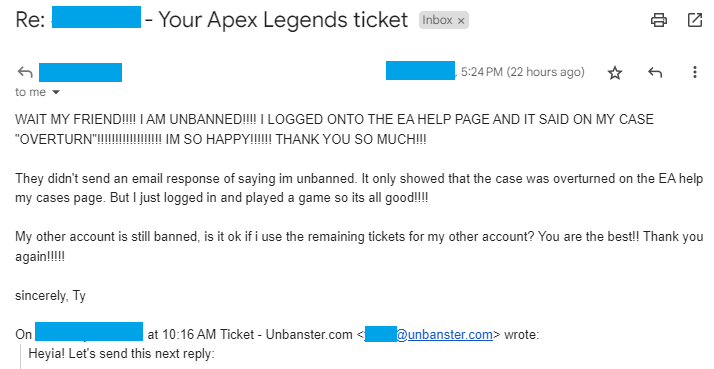
Real outcome from an Apex ban appeal case handled by our team.
Case type: Toxicity ban appeal
What triggered it: Account was actioned due to conduct reports or chat/voice behavior
What we included: Context-based appeal addressing the incident
Outcome: Ban removed and account reinstated
One Last Thing Before You Hit Send
Apex has more documented false positive cases than most live-service games – partly because the anti-cheat updates with every season, partly because overlay software is everywhere and EAC isn’t always forgiving about it. Legitimate cases get caught in that net more often than EA probably wants to admit.
That doesn’t guarantee a reversal, but it does mean the precedent exists. A clean appeal that connects the evidence to the actual flag gives the reviewer something real to work with – and that’s what separates the cases that move from the ones that don’t.
Our research team can draft a tailored appeal based on your case and account history!
Get Expert Help!
Comments 1
I have been banned and as far as I am concerned I have never had a reason to be banned or done anything against apex rules.