

Blizzard’s Warden system runs on Diablo 4 the same way it runs on World of Warcraft – and most Diablo players don’t know that. It scans active processes, checks game traffic timing, and flags behavioral patterns automatically. By the time a Diablo ban lands, Warden has already logged something specific. What that something is isn’t always what the player assumes.
That gap between what players believe triggered the ban and what Warden actually recorded is where most Diablo 4 ban appeals fall apart. Not in the writing, not in the evidence – in the assumptions made before the ticket is even opened.
Myth: “I Gave Gold to a Friend, So It’s Not RMT”
What players assume: Real money trading means actually selling gold for cash. A gift or guild giveaway is obviously different and shouldn’t trigger anything.
What’s actually true: Blizzard’s automated audit doesn’t read intent – it reads patterns. Large one-sided gold transfers that fall outside normal market range trigger the same RMT flag as actual gold selling, regardless of why the transfer happened. A raffle prize, a guild event payout, or a generous gift to a friend can all produce the same automated flag if the amount and the one-sidedness of the trade look suspicious to the system.
That doesn’t mean those cases can’t be overturned – they can, and they do. But the appeal needs to explain the transfer specifically: screenshots of the trade, chat context showing the reason behind it, and receipts proving no external payment was involved. A general denial that “it was just a gift” gives the reviewer nothing to verify. The surrounding context is what actually changes the outcome.
Going forward, it’s best to break large transfers into smaller amounts with an in-chat explanation of the reason. It’s a small step that makes the transaction pattern look less suspicious from the audit side.
Skip the Hassle - Get Expert Help Unbanning Your Account!
Get Unbanned!Myth: “I Uninstalled the Overlay, So the Ban Should Lift”
What players assume: Removing the software that caused the flag fixes the problem. Clean machine, clean slate.
What’s actually true: Uninstalling the tool prevents new detections – it doesn’t touch the existing Diablo 4 ban. The ban stays until a GM reviews and lifts it.
What uninstalling does help with is the appeal itself. Generating a fresh DxDiag after removing overlays, performance tools, and macro software – and attaching it to the ticket – shows the reviewer a clean current environment. That answers the most obvious follow-up question before it gets asked. AutoHotkey scripts, MSI Afterburner, NZXT CAM, and similar tools have all triggered Warden flags and bans in Diablo 4. List everything that was running alongside the game, even tools that seem obviously harmless. Warden logs active processes, and omitting something it already recorded creates a gap that’s harder to explain than just disclosing it upfront.
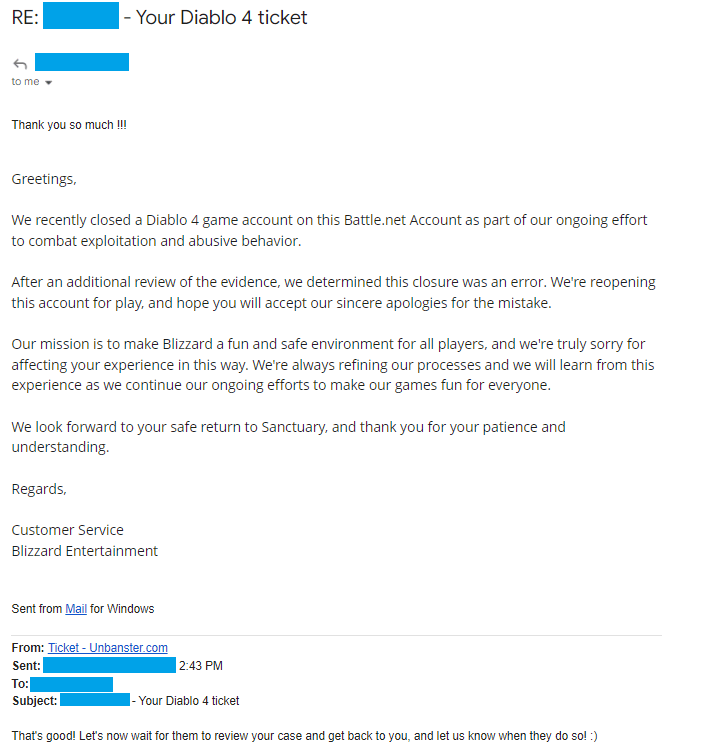
Real outcome from a Diablo 4 appeal case handled by our team. Personal details removed for privacy.
Case type: Exploit-related ban appeal
What triggered it: Account was actioned for suspected exploit abuse during gameplay
What we included: Context-based appeal explaining the situation and requesting a manual review
Outcome: Ban lifted and account access restored
Myth: “Warden Is a WoW Thing, Not Diablo”
What players assume: Diablo 4 is a different game with a different anti-cheat. Warden is Blizzard’s MMO system, not relevant here.
What’s actually true: Warden runs on Diablo 4. Same process scanning, same traffic timing checks, same behavioral pattern detection. The practical implication is that things players know to avoid for a ban in WoW – VPN hops mid-session, unusual hardware signatures, overlays that hook the client – are equally relevant in Diablo 4.
A VPN jump during a farming session can look like an automated account switch. Playing on a Steam Deck, a GeForce NOW cloud rig, or other non-standard hardware produces device signatures that Warden sometimes reads as bot behavior. Mentioning the specific device in the appeal – not just “PC” – gives the GM context to check the hardware flag against known legitimate configurations. It’s a small detail that’s specific to how Warden processes hardware strings and doesn’t come up in most Diablo 4 unban appeals.
Myth: “I’ll Just Explain That I Didn’t Bot”
What players assume: A clear, honest explanation that no botting occurred is enough. The GM will believe a genuine account.
What’s actually true: Warden logged something specific – a process hook, a timing pattern, a behavioral anomaly. A denial without documentation gives the reviewer nothing to cross-reference against what the system recorded. The appeal needs to address what Warden likely saw, not just assert that it was wrong.
For botting or macro flags, that means a full list of background apps that were running during the flagged session, a short gameplay clip showing manual inputs, and a fresh DxDiag generated after closing all overlays and tools. The clip doesn’t need to be long – enough to show the input pattern looked human. If the session was streamed, a timecoded VOD link is even better because it gives the reviewer a specific moment to check.
One more thing that’s specific to Diablo 4 ban appeals: mention the current season and realm in the appeal – Seasonal or Eternal. Blizzard’s GMs pull logs from specific shards, and including that detail removes one extra step from the review process. It’s a small thing that most appeals skip and that consistently slows down otherwise straightforward cases.
How to Get Unbanned from Diablo 4
Here’s how to submit a Diablo 4 ban appeal:
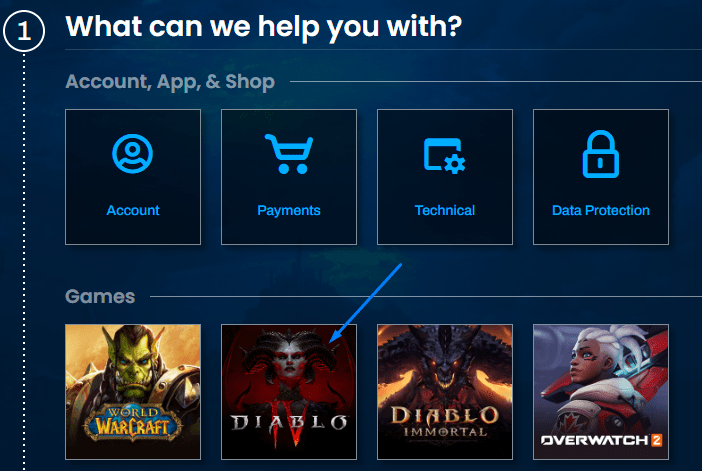
- Get on Blizzard’s official Support Center here and log into your Battle.net account;
Then, select Diablo 4 from the game list below.

- Skip describing the issue on the next page;
Instead, choose “I would rather categorize the issue”.

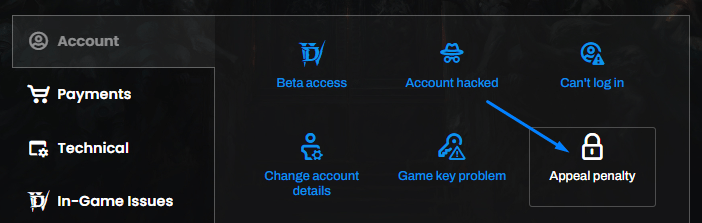
- Choose the issue for which you require help;
For banned D4 accounts, select “Account”, followed by “Appeal penalty”.

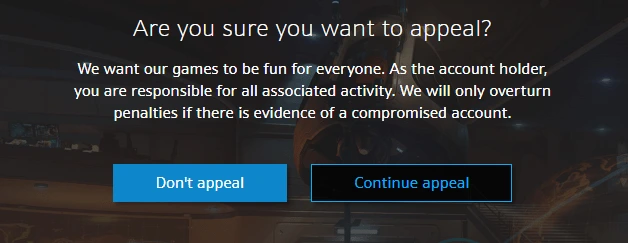
- Select “Continue appeal” on the next page;
Otherwise, the process will be stopped and the ban will remain as it is.

- Write your Diablo 4 ban appeal;
Mention the timing of the ban (after a patch/update), any context around it, what could’ve triggered it and how you’ll prevent it from happening going forward. Or, save time and stress and have us craft the perfect appeal for you!


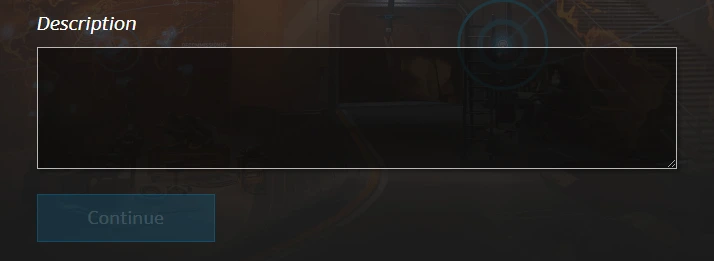
Once everything is in place, simply press the blue “Submit” button, and your Diablo unban appeal will be sent to Blizzard for a review.
You’ll be notified via your account’s email address when they get back to you, so make sure to keep an eye on it!
We’re here to give you the best help in order to recover your Diablo 4 account!
Get Unbanned!