
A lot of players waste their best shot at getting unbanned from PUBG before support even reads the facts. The problem isn’t always the evidence. It’s that they send one generic appeal for a ban that may not belong to the same system at all.
For example, on PC, the penalty might be a PUBG developer ban, a BattlEye ban, or a Steam/VAC issue. On mobile, the route is different again through PUBG MOBILE support. Steam itself also separates game bans from VAC bans, which is exactly why so many PUBG cases get framed the wrong way from the start.
Not every PUBG ban belongs to PUBG Support
If you’re trying to unban a PUBG account on PC, the first job is figuring out who actually issued the ban.
- Go to PUBG Support for the usual PC-side penalties: account bans (cheating, toxicity, exploits) temporary restrictions, hardware-ban cases, or compromised account / hijacking problems. If the action came from PUBG’s own enforcement team, this is normally the first place to start.
- Use BattlEye when the ban is clearly tied to BattlEye. In that case, keep it tighter and more technical: the ban ID if one is shown, otherwise your SteamID, plus the date and the basic context around the hit. Don’t spam multiple appeals there – it won’t help.
- Treat VAC separately. If it’s a real VAC ban, don’t approach it like a normal PUBG appeal. VAC bans sit under Steam/Valve rules, not PUBG’s regular support flow, and they aren’t handled the same way as developer-issued game bans.
- Use FACEIT support if the issue is actually on the FACEIT side. Those cases belong in FACEIT’s own system, not in a normal PUBG or BattlEye ticket.
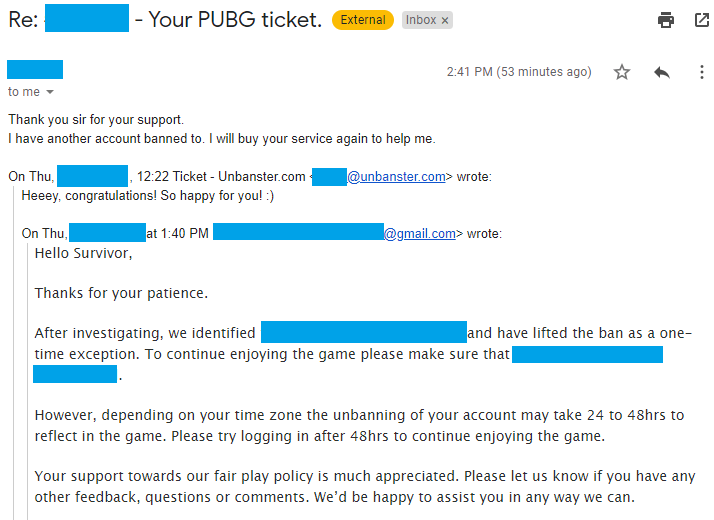
Real outcome from a PUBG appeal case handled by our team. Personal details removed for privacy.
Case type: Cheating accusation
What triggered it: Account was flagged for suspected unfair play
What we included: Clear appeal timeline, explanation of potential causes, and focused review request
Outcome: Ban removed completely
Where your PUBG ban appeal actually belongs
Here’s the short version.
PUBG Support
Best fit for:
- normal PC bans
- temporary or permanent restrictions
- hijacking / hacked-account style issues
- hardware-ban style account cases
What matters most:
- Steam ID or account identifier
- PUBG nickname
- punishment type
- rough date or time
- short explanation of what happened
PUBG’s official support center already organizes cases this way, which is why these tickets belong there first when the action is clearly developer-side.
BattlEye
Best fit for:
- BattlEye ban messages
- global ban ID cases
- anti-cheat events clearly tied to BattlEye
What matters most:
- exact global ban ID if shown
- SteamID if not
- game name
- ban date
- concise evidence tied to that anti-cheat event
BattlEye is unusually strict about routing. Their ban appeals must be submitted through their contact page only.
Steam / VAC
Best fit for:
- actual VAC bans only
What matters most:
- reading the warning correctly
- short explanation of what happened
FACEIT
Best fit for:
- FACEIT-side competition or anti-cheat issues connected to your PUBG play
What matters most:
- FACEIT account details
- linked Steam details
- the exact FACEIT-side action
FACEIT runs its own support ecosystem, so those cases need to stay there.
PUBG MOBILE / BGMI
Best fit for:
- mobile account bans
- mute / penalty issues
- hacked-account or device-related issues on mobile
What matters most:
- UID
- platform and device
- ban date
- account access context
PUBG MOBILE’s support flow already points players toward its own penalty and account-issue channels, which is why a copied PC appeal often feels off there.
How to Get Unbanned from PUBG (PC)
Here are the 3 types of PUBG ban appeals for PC you can submit.
PUBG Developer Ban Appeal
Here are the steps required to get unbanned from PUBG following a ban appeal:
- Go to the PUBG Support website and select “Ban” as your issue;
You can also choose “Hijacking” if the ban came as a result of an account compromise.
- Input your account’s email address and select “Permanent Ban”;
If it’s a suspension, you can pick “Temporary Ban” instead. For HWID bans, select “Hardware Ban”.
- Choose your language and enter your Steam ID;
You’ll find your Steam ID inside the Steam app, under Account details.

- Input your PUBG nickname and issue subject;
The subject should be descriptive of your issue, such as “PUBG ban appeal”, or “Hacked PUBG account”.
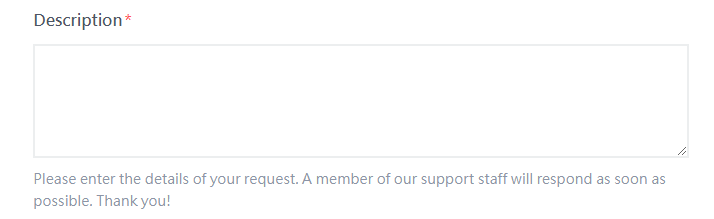
- Write your PUBG ban appeal;
State the reason behind your ban, provide evidence and explain why you think it happened and how you’ll prevent it going forward. Or, skip the hassle – let our experts craft your appeal →


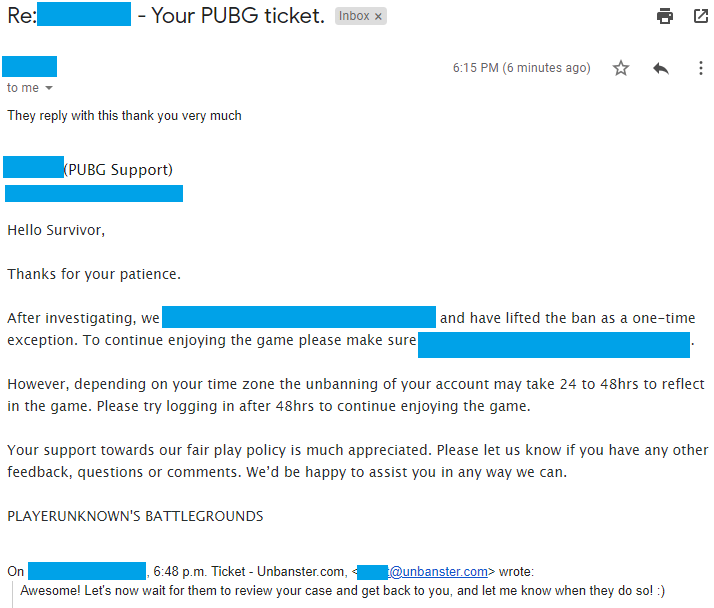
Case type: False cheating-ban case
What triggered it: Account was banned after being labeled as a cheating case
What we included: Structured appeal, player-side explanation, and review request
Outcome: Ban lifted after investigation
BattlEye Appeal
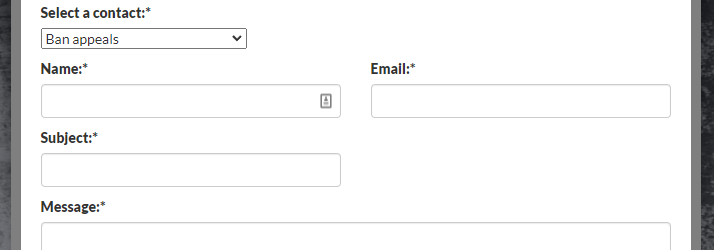
PUBG BattlEye ban appeals are pretty straight forward. You need to send an email to [email protected], or to complete the contact form here. Provide SteamID64, ban date, and evidence.
VAC Ban Appeal
- Log into the Steam app;
- On the upper right, click on your account’s name, then select Account details;
- On the right side of the screen, select View purchase history;
- Locate and select PUBG from your purchase history list;
- Select any relevant contact option from the bottom of this page.
Faceit Ban Appeal
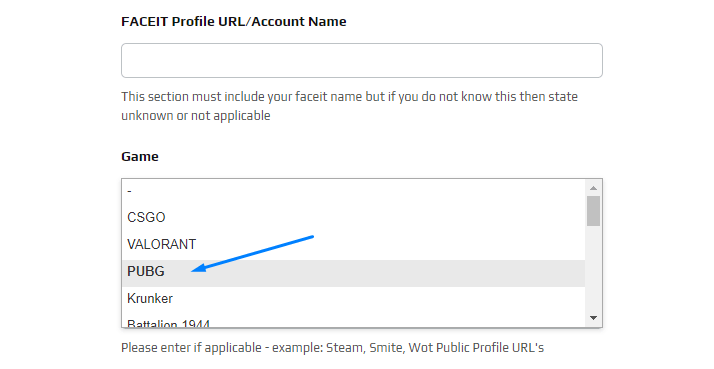
If you have a Faceit ban, you need to contact them through Faceit’s Support Page. Follow the steps below to complete the process:
- provide your email address (this is where they will contact you);
- select “I am banned” under Contact Reason, and specify the ban type (e.g., “VAC Ban on Steam”);
- fill in your account identification details, including your Faceit Account Name, Steam Profile link, and email;
- choose “PUBG” from the list of games;
- enter a relevant subject, such as “PUBG VAC ban appeal”;
- compose your appeal or copy and paste the customized defense ticket you received from our gaming unban service.
Now that we’ve gone over the Steam version of the game, let’s move on to see what can be done to appeal a ban in the mobile version of the game!
Unbanning a BGMI or PUBG Mobile Ban
For PUBG Mobile, there are two different ways to appeal your ban:
- via e-mail and/or their website support form;
- through the in-game Customer Support option.
Below, we’ll cover both options.
In-Game Appeal
In order to submit an in-game PUBG Mobile unban appeal, you must first open the game on your mobile device and wait for the game menu to load.
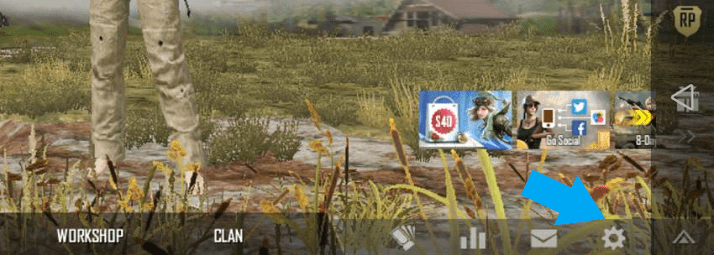
Once that’s done, tap on the bottom-right cogwheel to open up the Settings menu.
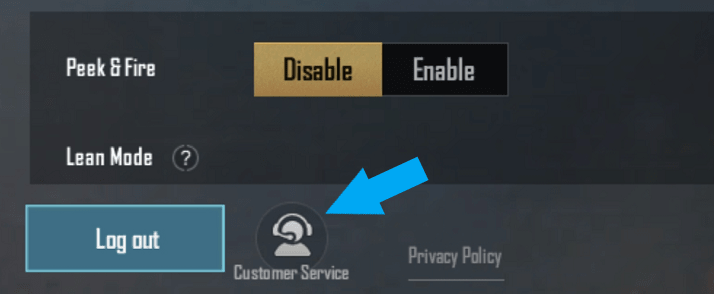
Afterwards, tap on the bottom-left “Customer Service” button, which will take you to PUBG Mobile’s Support center.
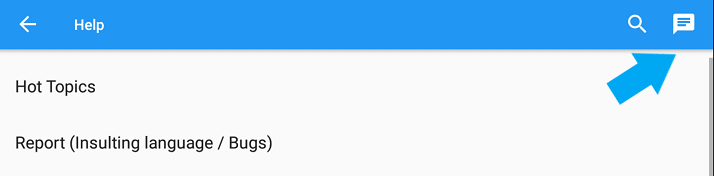
On the Customer Service page, tap on the top-right messaging icon to get in touch with PUBG Mobile support.
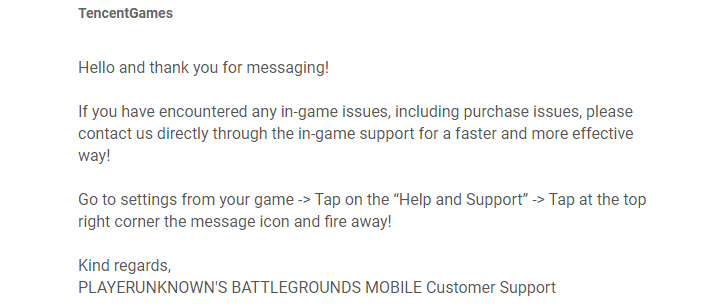
This will finally land you on the form where you can submit your unban appeal.
Email Appeal
For this, you need to send an email from your account’s registered email address to [email protected] explaining your situation. Include UID, platform, ban date, and proof.
BGMI Ban Appeal
In order to appeal your PUBG Mobile ban through the website, you must first get on their official Support website here. Pick Android or iOS from the top-left corner, then fill this form as such:
- input your account’s registered email address and in-game nickname;
- select the platform on which you play the game;
- under “Issues”, select “Account Management“;
- under “Describe your problem here”, that’s where you’ll need to write your appeal;
- attach any relevant files or screenshots, if any, then complete the captcha test.
Once that’s done, all you need to do is to press on the red “Submit” button underneath the form, and your PUBG Mobile ban appeal will be sent to their Support for a review. Make sure to keep an eye on your email to know when they got back to you!
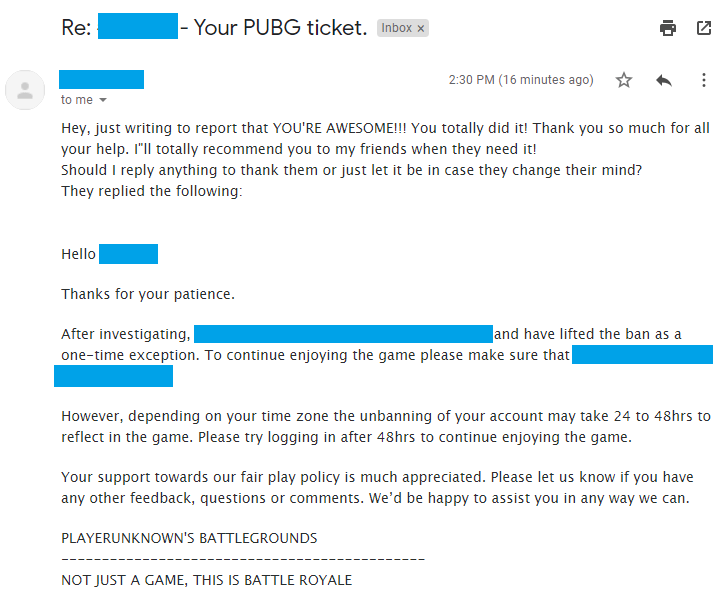
Case type: False cheat flag
What triggered it: Suspicious gameplay led to a cheating accusation
What we included: Context-based appeal and manual review request
Outcome: Ban removed and account access restored
The real PUBG takeaway
If you want to get unbanned from PUBG, don’t start with a huge defense letter.
Start with one question: who actually banned you?
If you get that wrong, the rest of the appeal is usually built on the wrong foundation. If you get it right, the ticket becomes shorter, cleaner, and a lot more useful.
We’re here to give you the best help in order to recover your account!
Get Unbanned!
Comments 11
Hello I have been banned my account without reason in the game please remove urban
Author
Heya! We can certainly do our very best, should you wish to give our services a try! 🙂
i have receive from pubg mobile a strange message my account is been banded for 10 years, in fact i didnt do anythign wrong . can you help me on that
Author
Heya, we can definitely do our very best to help you. Feel free to get in touch with us!
I got banned because i killed some enemies which they reported me telling me you hack which i dont use hack at all can you please help me and im conquer also
Author
Heya! We can surely do our very best to help you, should you wish to give our services a try! 🙂
I have been banned due to teaming. I have no idea or recollection of this at all.
I got banned for 10 years, I didn’t use any third party softwares anything
Hello,sorry if i am disturbing you at all. So i just have a Question,i got banned pubg steam after 2 mounths of emails they invastigate my account and saw that it was hacked and got banned. they Said they will Unban me In 24/48 hours and im still waiting for unban after 4 days (not buisness days) so do you maybe know what is goin on and why they making so long ? when i stay the game b4 lobby says i am “BANNED FROM STEAM”
Author
Heya! It can sometimes take a bit longer than 48 hours, depending on a few things on their end. However, if the ban isn’t cleared within 7 days of their confirmation email, you should definitely get back in touch with them for an update.
I hope this message finds you well. My name is AestheticRoyal, and I’ve been a dedicated player of PUBG: Battlegrounds for the past 8 years. I am writing to appeal my recent ban, which I strongly believe is a misunderstanding or a result of external interference, and I respectfully request a full review of my account.
2 weeks ago, I decided to try Ranked play for the very first time in 8 years. Unfortunately, during my first match, I encountered a toxic player who teamkilled one of our teammates early in the game. I attempted to engage with him to understand his actions, but he responded with hostility, cursing me out and threatening to shut down my internet. I continued playing the game and tried my best to ignore the situation. However, a few minutes later, after I had been eliminated from the match, I stepped away briefly to take care of my dogs. When I returned 10-15 minutes later, I found that my internet had been shut off, leaving me without any connection.
While I initially assumed the player was simply trolling, I now have serious concerns that he may have taken further actions to interfere with my account or network. I fear that his threats were not just idle words and that he may have played a role in triggering the ban I received. I had only played one game and then had to log off to go to work, so I was completely blindsided when I found myself banned.
I’d like to provide some important context that I didn’t include earlier, as I only recently connected the dots on what may have actually happened:
During a recent game, I had a teammate who repeatedly made threatening comments, saying things like he was going to shut off my internet and mess with my computer. At the time, I assumed he was just trolling or bluffing, but later that day, I started noticing unusual activity — and I unfortunately wasn’t even home, as I had to leave for a shift at work
Now I’m genuinely concerned that something might have happened to my account or network setup while I was gone. I can’t confirm exactly what was done, but the timing lines up disturbingly well, and I now believe this may have played a role in the ban I received.
I understand how serious account security and anti-cheat enforcement are, and I want to be completely honest about everything. I’ve been playing PUBG for many years with no issues, and I’ve never knowingly used any cheats or tried to break the rules. If there’s any way for the team to double-check logs or unusual activity patterns around the time of the ban, I would be incredibly grateful.